Beyond the Drillhole: Rethinking Geological Field Logging for Mining and Exploration
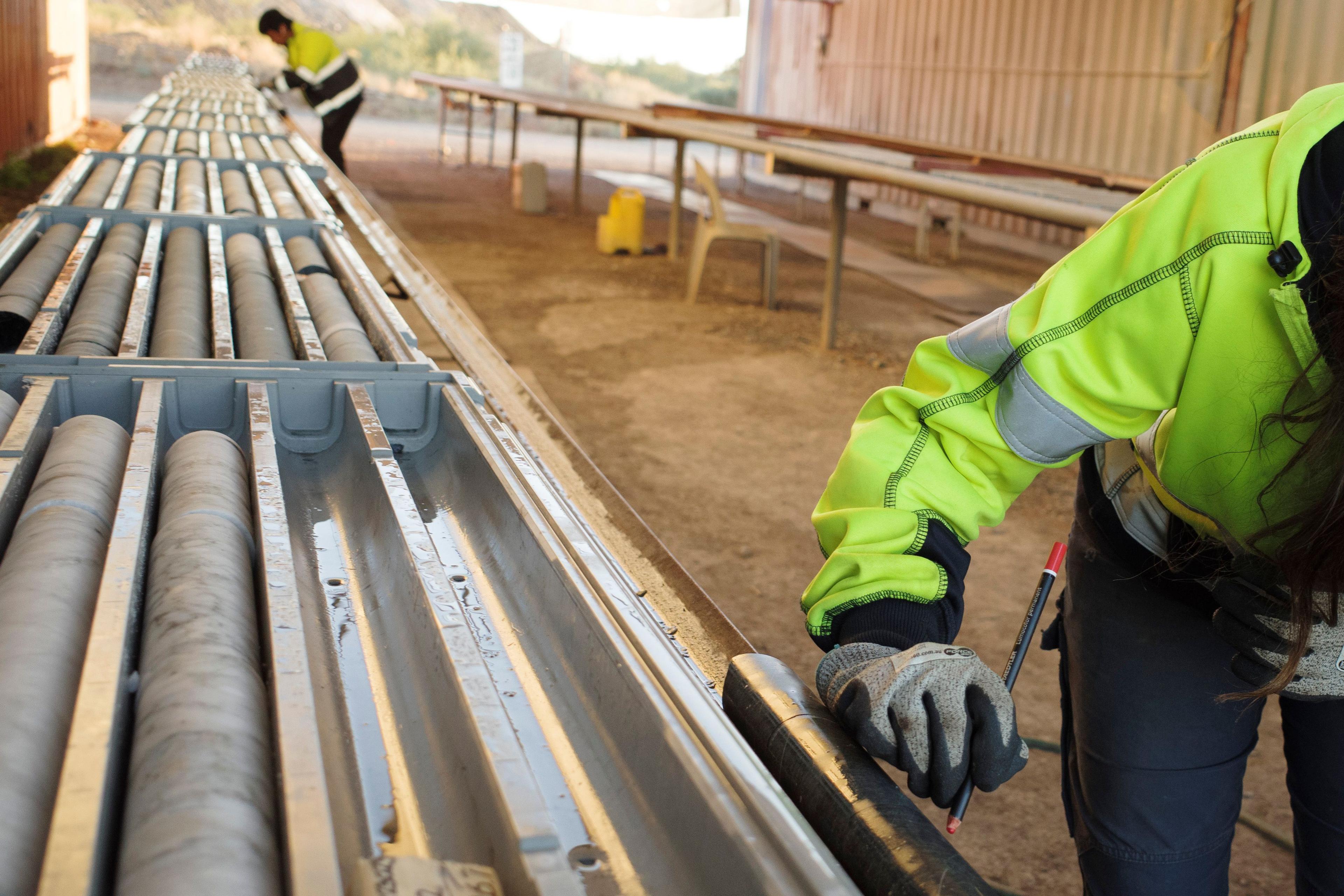
For mining and exploration teams, geological logging software has long been built around one picture of the job: a geologist, a drillhole and a grid of intervals. That picture no longer matches how most exploration and mining teams work. Data now comes from development faces, trenches, channels and traverses. It's captured on tablets at the face or the core tray, not at a desk. And it's managed by small teams who need to set up and adjust templates without calling in a developer.
Why field logging tools no longer fit how teams work?
When the tool doesn't fit the work, the work bends around the tool. Geologists keep face sampling in a spreadsheet on the side. Field users scroll sideways through wide grids on a tablet screen. Administrators rebuild near-identical templates for every new project. Each workaround is small. Together, they cost time and put data quality at risk before anything reaches the database.
This post sets out four principles we think field logging software should meet, and how we've applied them in the latest release of logchief lite, maxgeo's field logging tool.
1. Geology doesn't only happen down a hole
A logging tool should handle every way your team collects data, not just drillholes. Face sampling underground, channel samples across an outcrop and trench mapping are all interval or point data with the same need for structure and validation. When they sit outside the main logging system, they lose both.
The answer isn't a separate tool for each workflow. It's one system where a face or a linear site is a first-class parent record, with its own templates, fields and rules, and the same data standards as your drillholes.
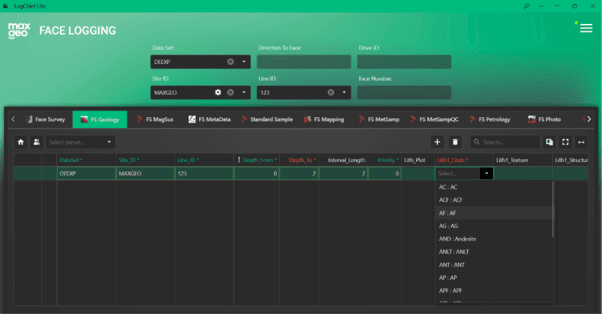
How logchief lite 1.3.0.2 does this: Face Tables (parent table tblFSSite) let you build templates for face sampling and log face data directly in the field. Linear Tables (parent table tblLSSite) let you capture interval-based data against linear sites. Both use the same configuration and validation approach as drillhole logging.
2. The grid isn't the field
Grids suit reviewing data on a desktop. They're a poor fit for capturing it on a tablet. As templates grow, users spend more time finding the right column than recording what they see. The result is slower logging, skipped fields and more errors.
A geologist logging core thinks in a sequence: lithology, then alteration, then structure, then mineralisation. The data-entry screen should follow that sequence, group related fields together and show only what matters for the task at hand.
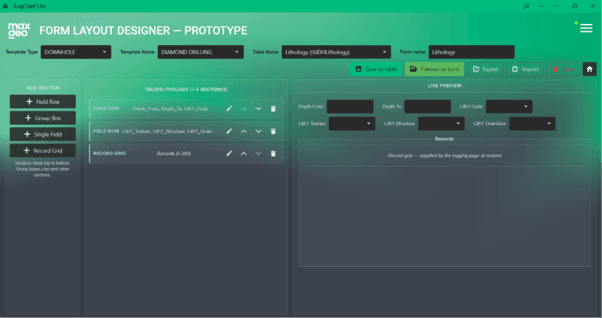
How logchief lite 1.3.0.2 does this: the new Forms Designer lets administrators build a custom data-entry form for each logging tab, with fields grouped in a logical order. Users can then log through form-based pages instead of the grid, a cleaner layout designed for tablets and large templates.
3. Data quality should fit the workflow, not fight it
The cheapest place to fix a data error is at the point of capture, but only if the rules match how the data is actually collected. Rigid validation that blocks legitimate records teaches users to work around it. Validation that's switched off everywhere lets bad data through.
Overlapping intervals are a good example. In most lithology tables, an overlap means a mistake. In other tables, such as some structural or sampling records, overlaps are a valid part of the workflow. One global rule can't serve both.
The same applies to sample numbering. SampleIDs often need to apply to part of a hole, not every interval in it. Forcing a blanket assignment creates manual clean-up before samplesheets go to the lab.
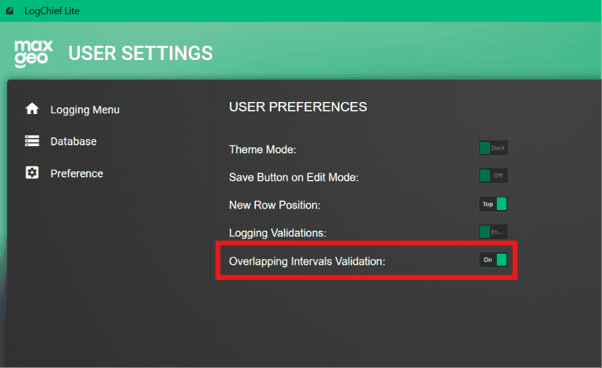
How logchief lite 1.3.0.2 does this: overlapping interval validation can now be turned on or off for each logging table. And the SampleID button accepts a Starting Depth and Ending Depth, so SampleIDs go only to the intervals you choose.
4. Configuration is where time quietly disappears
Every new project, rig or site tends to need a template that's almost the same as one you already have. Rebuilding it from scratch is slow, and every rebuild is a chance for fields, picklists or settings to drift between projects. Over time, that drift makes data harder to compare across sites.
Good configuration tools treat a proven template as an asset: something to copy, adapt and keep consistent, not recreate.
How logchief lite 1.3.0.2 does this: Copy Template duplicates an existing template, including its tables, fields and configuration settings. Administrators adjust the copy for the new project instead of starting again.
What's new in logchief lite 1.3.0.2?
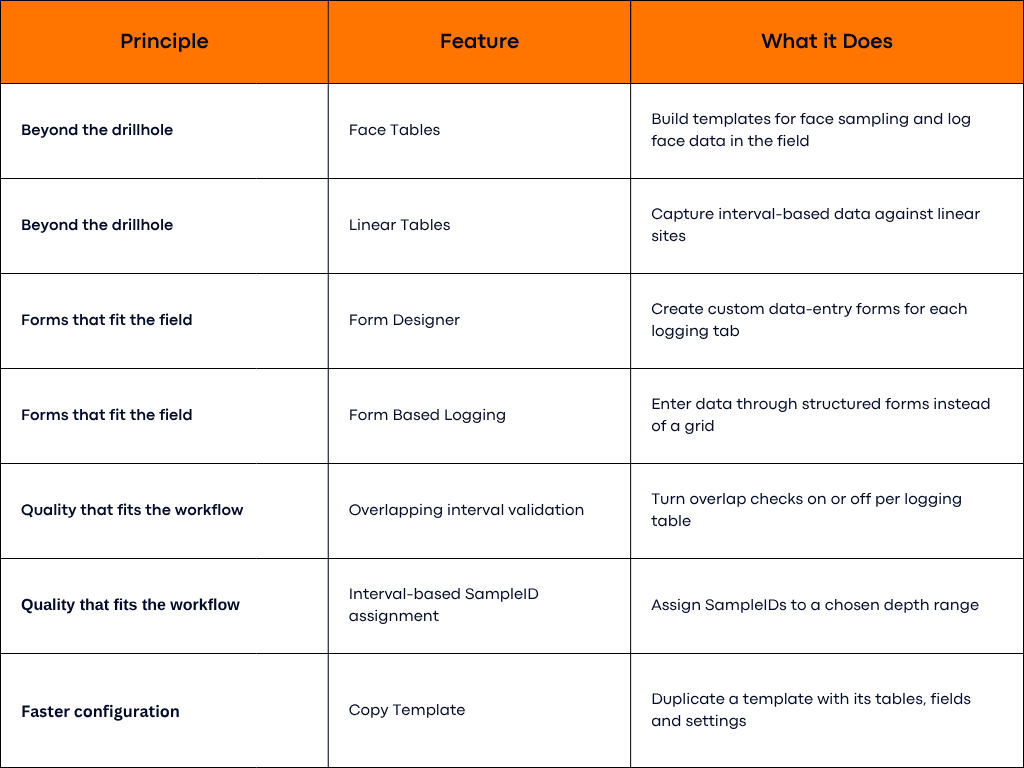
logchief lite 1.3.0.2 adds seven features that put these principles into practice.
Upgrading: clear your browser cache after the upgrade to receive the full update.
Frequently asked questions
What is logchief lite?
logchief lite is maxgeo's field logging software for capturing geological and sampling data. Administrators configure logging templates, and field users log data against drillholes, faces and linear sites.
What's new in logchief lite 1.3.0.2?
Version 1.3.0.2 adds Face Tables, Linear Tables, a Forms Designer, form-based logging, Copy Template, configurable overlapping interval validation and interval-based SampleID assignment.
Can logchief lite log face sampling data?
Yes. From version 1.3.0.2, administrators can configure Face Tables to build face sampling templates and log face data in the field.
Is logchief lite suited to logging on a tablet?
Yes. Form-based logging replaces the grid with structured forms built in the Forms Designer, designed for tablets and large templates.
Can I allow overlapping intervals in some tables but not others?
Yes. Overlapping interval validation is set per logging table, so you can block overlaps where they signal an error and allow them where they're valid.
Why can't I see the new features after upgrading?
Clear your browser cache. The update needs a cache clear before the new features load.